

.svg)


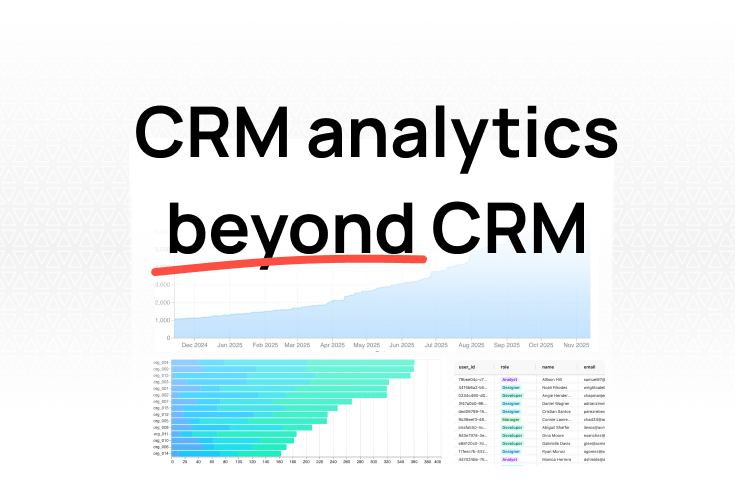
CRM analytics beyond your CRM: how to build reports your sales tool can't

TL;DR: For small businesses without a data team, Fabi.ai is the best option — connect your data sources, ask questions in plain English, and get a KPI dashboard without writing SQL or building pipelines. Databox is strong for marketing teams with its 130+ integrations and pre-built templates. Geckoboard is the simplest if you want a real-time TV display. SimpleKPI is the cheapest starting at $14/month. Looker Studio is free but requires more manual work and gets expensive with non-Google data sources.
Small businesses don't have the same analytics resources as enterprises. No data engineering team. No dedicated BI analysts. Usually no data warehouse.
But you still need to track KPIs. MRR, churn, CAC, conversion rates — the numbers that tell you whether your business is heading in the right direction or quietly falling apart.
The problem with most KPI dashboard software is that it's built for companies with 500+ employees and a dedicated analytics team. Setup takes weeks. Customization requires SQL. And pricing assumes you have an enterprise budget.
There are better options for small businesses and startups. Here are five KPI dashboard tools we've evaluated, with honest assessments of what each does well and where it falls short.
Before the list, here's what actually matters when you're a small team choosing KPI dashboard software.
Fast setup. You should get value in days, not weeks. If a tool requires a data warehouse, ETL pipelines, or a consultant to configure — it's not built for you.
Connects to your existing tools. Your KPI data already lives somewhere: Stripe, HubSpot, Google Analytics, your product database, maybe a few spreadsheets. The tool should pull from those sources directly, not require you to manually export and upload.
Affordable at your scale. Per-seat pricing adds up fast. Look for tools with flat pricing or generous free tiers that won't penalize you for adding team members.
Low maintenance. A dashboard that breaks when someone changes a field name in your CRM isn't saving you time. It's creating a new job. The best KPI dashboard software stays current without ongoing attention.
Lets you investigate, not just display. Seeing that churn spiked is useful. Being able to drill into which segment, which cohort, or which month drove the spike — that's what actually leads to action.
We built Fabi for exactly this situation: you need KPI dashboards, you don't have a data team, and you don't want to spend weeks on setup.
How it works: Connect your data sources — Stripe, HubSpot, Postgres, MySQL, Google Sheets, and 100+ others. Then ask questions in plain English:
"What's our MRR trend for the last 12 months?"
"Show me CAC by acquisition channel."
"Which customer segment has the highest churn rate?"
Fabi generates the SQL behind every answer, so you can see exactly how each metric is calculated. No black box. If something looks off, you ask a follow-up question instead of filing a ticket with the data team.
Why it works for small businesses:
Where it's less ideal: If you only need a simple wall display of pre-defined metrics and don't need to ask follow-up questions, a simpler tool like Geckoboard might be faster to set up for that specific use case.
Pricing: Free tier available. Startup-friendly paid plans.
Databox has built its reputation on two things: a massive library of integrations and pre-built dashboard templates that let you go from signup to a working KPI dashboard quickly.
Why it's good:
Databox connects to 130+ data sources out of the box — Google Analytics, HubSpot, Facebook Ads, Stripe, Salesforce, and most of the tools a marketing-heavy startup uses daily. The pre-built templates mean you're not starting from a blank canvas. Pick a "SaaS metrics" or "marketing performance" template, connect your accounts, and you have a working dashboard.
The mobile app is well-designed and updates in real time. If you want to check your KPIs from your phone during a commute, Databox makes that easy.
Goal tracking is another strength. You can set targets for each KPI and get alerts when you're falling behind — useful for keeping teams accountable.
Where it falls short:
The free plan limits you to three data sources. That's often not enough for a small business tracking KPIs across billing, CRM, and marketing. Each additional connector on paid plans costs $5.60/month, which adds up.
Customization is limited compared to more flexible tools. The templates get you started fast, but if you need a metric that doesn't fit their pre-defined model, you'll hit walls. There's no way to write custom queries or combine data across sources in ways the tool doesn't already support.
Pricing: Free (3 data sources). Paid plans from $72/month. Extra connectors $5.60/month each.
Geckoboard does one thing very well: simple, real-time KPI dashboards designed to display on a TV screen in your office.
Why it's good:
Geckoboard is the fastest path from zero to a live KPI display on the wall. The drag-and-drop builder is genuinely simple — not "simple after a two-hour tutorial" simple, but actually straightforward. Connect your data sources, pick widgets, arrange them on a dashboard, and push it to a TV.
It connects to 90+ tools and updates as frequently as every minute. For ops-focused teams that need real-time visibility — support queue depth, server uptime, daily sales numbers — Geckoboard is hard to beat for simplicity.
Sharing is easy: send a link, display on a TV with their pairing feature, or push to Slack and Microsoft Teams.
Where it falls short:
Geckoboard is designed for display, not analysis. You can see that a number changed, but you can't drill into why. There's no way to ask follow-up questions, filter by segment, or combine data from multiple sources in a single visualization.
The Essential plan ($39/month) limits you to one dashboard and one data source, which is fairly restrictive. Most small businesses need at least the Pro plan ($79/month) to be useful.
It's also less helpful for remote-first teams where nobody is looking at a TV on the wall. The Slack/Teams integrations help, but the core value proposition is the physical display.
Pricing: From $39/month (Essential). Pro at $79/month. Scale at $559/month.
SimpleKPI takes a different approach than most tools on this list. Instead of focusing purely on automated data connections, it's built for teams that also need to manually track KPIs that don't live in a database.
Why it's good:
Not every KPI can be pulled from an API. Customer satisfaction scores from quarterly surveys, employee NPS, or operational metrics tracked in spreadsheets — these often require manual entry. SimpleKPI handles both: automated data through APIs, Google Sheets, Zapier, and HubSpot, plus manual entry for everything else.
The pricing is the most accessible on this list. Plans start at $14/month, and the $99/month unlimited plan includes unlimited users and dashboards. For a small business watching its budget, that's significantly cheaper than Databox or Geckoboard.
The interface is clean and KPI-focused — 40+ chart types, drill-down capabilities, and scorecards that make it easy to see whether you're hitting targets.
Where it falls short:
SimpleKPI doesn't have the breadth of native integrations that Databox or Geckoboard offer. If you want to auto-connect Stripe, Google Analytics, and Facebook Ads without Zapier as middleware, you'll find fewer direct options here.
The manual entry aspect is both a feature and a limitation. It gives you flexibility, but it also means someone needs to remember to update those numbers. If that person goes on vacation, your dashboard goes stale.
It's also less powerful for analysis. You can display KPIs and see trends, but there's no way to ask ad hoc questions about your data or investigate anomalies without leaving the tool.
Pricing: Starter $14/month. Growth $49/month (up to 5 users). Unlimited $99/month.
Looker Studio (formerly Google Data Studio) is Google's free dashboarding tool. "Free" is doing heavy lifting in that sentence, but we'll get to that.
Why it's good:
For teams already deep in the Google ecosystem — Google Analytics, Google Ads, Google Sheets, BigQuery — Looker Studio is a strong choice. The native Google connectors are free, fast, and reliable. You can build polished KPI dashboards with drag-and-drop, share them with anyone via a link, and set up automatic refresh.
The visualization options are solid. You get more design flexibility than most of the other tools on this list, and the reports look professional without much effort.
With 600+ partner connectors available, you can technically connect almost any data source. And unlike most free tools, there's no user limit — share your dashboards with as many people as you want.
Where it falls short:
The "free" label comes with significant asterisks. While Google-native connectors are free, connecting non-Google data sources (HubSpot, Stripe, Salesforce) requires third-party connectors that cost $29-$300+/month each. A small business connecting three non-Google sources could easily spend more than a paid dashboard tool.
Performance degrades with complexity. Large datasets, multiple data sources, or dashboards with many widgets slow down noticeably. Google Analytics 4 has API quota limits (1,250 tokens/hour) that can cause reports to break under heavy use.
The learning curve is steeper than dedicated KPI tools. Looker Studio is a general-purpose reporting tool, not a KPI-specific one. Building a clean KPI dashboard requires more manual configuration than tools designed specifically for that purpose.
And there's no AI or natural language — every dashboard is built manually. When a KPI moves unexpectedly, investigating means building a new report or modifying an existing one.
Pricing: Free (Google connectors). Third-party connectors $29-$300+/month each.
You don't have a data team and need to combine data from multiple sources. Start with Fabi. Connect your data sources, ask questions in English, and build KPI dashboards without SQL or pipeline setup. When a number moves, ask a follow-up question instead of switching tools.
You're a marketing-heavy team with 5+ data sources. Databox gives you the most pre-built integrations and templates. Quick to set up if your stack is supported.
You want a live display in your office or warehouse. Geckoboard is purpose-built for this. Simple setup, real-time updates, easy TV pairing.
You're bootstrapped and some of your KPIs require manual tracking.SimpleKPI starts at $14/month and handles both automated and manual data entry. Hard to beat on price.
You're all-in on Google's ecosystem. Looker Studio is free and deeply integrated with Google products. Just budget for third-party connectors if you need non-Google data.
The right KPI dashboard software is the one your team actually uses. A $300/month tool that nobody opens is worse than a $14/month tool that's part of your daily standup. Start simple, connect your real data sources, and pick the tool that matches how your team actually works — not how you think you should work.
Try Fabi free — build your first KPI dashboard in minutes, not weeks.


