.svg)


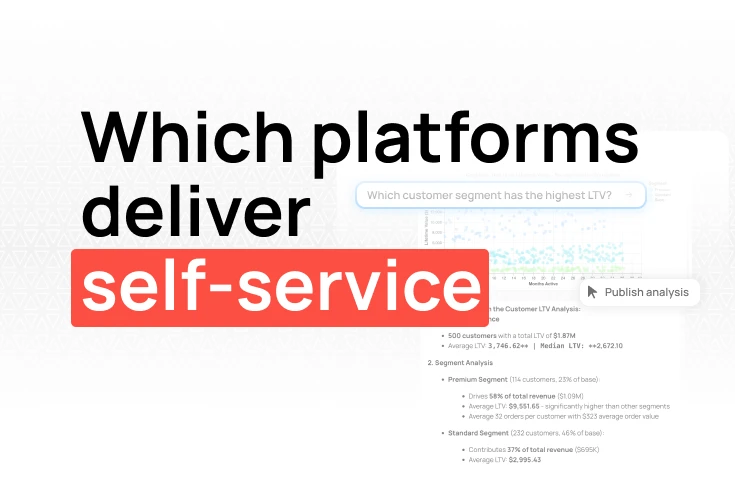
AI BI tools comparison: which platforms actually deliver self-service?

TL;DR: Mode Analytics combined SQL and Python in one analyst environment, a useful approach that many data teams relied on. But Mode's 2023 acquisition by ThoughtSpot introduced genuine uncertainty about the product's long-term direction. Fabi is the strongest alternative for teams that want SQL, Python, and AI assistance in one platform. Hex covers the notebook-first analytics angle with strong collaboration. Deepnote works for data science teams. Apache Superset and Metabase serve teams that need open-source options.
Mode built a reputation in data teams as an analyst environment that actually worked. SQL editor on one side, Python notebook on the other, shared reports and dashboards for stakeholders. For data-heavy organizations where analysts are the primary users, it filled a specific gap well.
ThoughtSpot acquired Mode in 2023. The acquisition has implications that are still playing out: ThoughtSpot's core product is built around search-driven NLQ analytics, a fundamentally different model than Mode's code-first approach. Teams that depend on Mode for production analytics workflows need to factor this into their planning. Product priorities, pricing, and development velocity are now tied to a different parent company with different strategic goals.
Even before the acquisition, Mode had gaps. AI assistance was limited compared to newer platforms. The SQL and Python environments didn't always integrate as smoothly as analysts wanted. And Mode's design focused almost entirely on technical users, business stakeholders could consume reports, but they had no path to self-service.
Integrated SQL and Python. Mode's core value was having SQL and Python in the same environment. A good alternative should handle both natively, without requiring users to export data between separate tools.
AI assistance and natural language querying. Mode had limited AI features. Teams evaluating alternatives in 2026 should expect meaningful AI querying, the ability for non-technical users to get answers without relying entirely on analyst output.
Non-technical self-service. Mode was built for analysts, with business users as downstream consumers. A good alternative either extends self-service to non-technical users or specifically serves the analyst-only use case with more depth.
Stable ownership and roadmap. Mode's acquisition created product uncertainty. Look for alternatives with clear ownership and transparent roadmaps.
Automated delivery. Analysts spend significant time on repetitive reporting. Good platforms automate this, scheduled reports, threshold alerts, push to Slack or email.
Mode was designed for analysts, with business stakeholders as downstream consumers. Fabi serves both sides of that relationship: analysts get a full SQL and Python environment, and the product managers, GTM teams, founders, and operators they serve can generate their own dashboards with AI, without filing requests.
Pros:
Cons:
What makes it stand out:
Mode's model was: analysts build, stakeholders consume. The bottleneck was always the analyst queue. Fabi changes this by giving non-technical operators a way to generate dashboards themselves. A growth manager who previously filed a request for a conversion funnel can now describe what they want and get it immediately. A founder who wanted weekly MRR by cohort doesn't wait two days for a data pull.
This is a new paradigm, not just an improved workflow. Fabi generates complete, shareable dashboards from plain-English descriptions. Not query results. Not chart suggestions. Full layouts, properly labeled, ready to send. Analysts keep the Smartbooks environment for technical work. Everyone else gets the AI interface.
Hundreds of native connectors mean you can combine warehouse data with your CRM, payment processor, and product analytics without ETL pipelines. And the direct Slack integration means insights reach the people who need them in the channels where they already work.
Aisle reduced data analysis time by 92% after switching to Fabi. Their data team now handles requests in hours instead of weeks.
Best for: Product teams, GTM teams, founders, and operators who need self-service analytics, plus the analysts who support them.
Pricing: Free tier available, then $39/month per builder.
Hex is a modern analytics platform built around collaborative notebooks. It supports SQL and Python natively, and its App publishing feature lets analysts turn notebooks into interactive dashboards that stakeholders can use without seeing the underlying code.
Pros:
Cons:
What makes it stand out:
Hex's App mode is genuinely useful for sharing analyst work with stakeholders. An analyst builds a notebook, queries, calculations, visualizations, and publishes it as an interactive App that non-technical users can explore by changing parameters. It's a clean handoff between analyst work and stakeholder consumption.
For teams that miss Mode's collaborative sharing model, Hex is probably the closest equivalent.
Best for: Analyst teams that want collaborative notebooks with a clean path to sharing interactive analyses with stakeholders.
Pricing: Free tier available, paid plans from $24/user/month.
Deepnote is a cloud notebook platform with real-time collaboration: Google Docs-style editing on Python notebooks. It supports SQL cells and has a growing set of integrations.
Pros:
Cons:
What makes it stand out:
Deepnote's real-time collaboration is its standout feature. Multiple people editing the same notebook simultaneously, with comments, tracked changes, and version history, is a qualitative improvement over Mode's sharing model. For data science teams doing collaborative exploratory work, this matters.
Best for: Data science teams that need collaborative Python notebooks and don't need full BI dashboarding features.
Pricing: Free tier available, paid plans from $12/user/month.
For engineering-first teams that want full control and no licensing cost, Superset is the strongest open-source option. The SQL IDE is powerful, visualization options are extensive, and Preset offers managed hosting for teams that don't want to manage infrastructure.
Pros:
Cons:
What makes it stand out:
Superset goes deeper on SQL exploration than almost any other open-source tool. For engineering teams that find Metabase too simple and want full control over their deployment, Superset is the default choice in the open-source BI ecosystem.
Best for: Engineering-first teams that want open-source flexibility and can manage infrastructure.
Pricing: Free (self-hosted), Preset from ~$20/user/month.
If Mode's primary value for your team was providing dashboards and reports that business stakeholders could access, Metabase is a simpler, more accessible alternative that doesn't require technical users as an intermediary.
Pros:
Cons:
What makes it stand out:
Metabase is designed for business users first, not analysts. The interface is clean, the question builder requires no SQL knowledge, and setup is quick. For teams where Mode was primarily delivering dashboards to non-technical stakeholders, Metabase is a simpler and more direct solution.
Best for: Teams that primarily need accessible dashboards and self-service for business stakeholders, without requiring technical analyst workflows.
Pricing: Free (self-hosted), cloud from $85/month.
For teams where Mode served as an interface between data engineering and analytics, processing large datasets, running ML models, building pipelines, Databricks provides a more powerful environment.
Pros:
Cons:
What makes it stand out:
If your team uses Mode for serious data engineering work, pipelines, large-scale transformations, ML model training, Databricks is a natural upgrade path. It's not a BI replacement; it's an engineering platform that includes SQL and notebook capabilities.
Best for: Data engineering and ML teams that need more than a BI tool.
Pricing: Consumption-based pricing (DBUs), varies by usage.
SQL and Python for mixed teams + AI assistance + business user self-service: Fabi. Covers Mode's analyst use case while extending self-service to non-technical users through AI querying. Automated workflows replace manual reporting cycles.
Notebook-first collaboration for analyst teams: Hex. The closest equivalent to Mode's collaborative analyst environment, with a strong stakeholder-facing App mode and clean UX.
Data science-heavy teams with collaborative Python workflows: Deepnote. Real-time co-editing on notebooks, good for teams doing exploratory work together.
Engineering teams that want open-source control: Apache Superset. SQL exploration, extensive visualizations, no licensing cost. Requires infrastructure management.
Non-technical teams that primarily need dashboards: Metabase. Simpler than Mode, business users can navigate it without analyst help.
Data engineering and ML at scale: Databricks. Overkill for analytics use cases, but the right platform if your team's work crosses heavily into data engineering and ML.
What happened to Mode Analytics?
ThoughtSpot acquired Mode Analytics in 2023. Mode continues to operate as a product under ThoughtSpot's ownership, but the acquisition raises questions about long-term product direction. ThoughtSpot's core model is search-driven NLQ analytics, a different approach than Mode's code-first SQL/Python environment. Teams evaluating Mode should weigh the risk that product priorities shift toward ThoughtSpot's model as integration deepens.
What is the best Mode Analytics alternative for data analysts?
Fabi and Hex are the two strongest options for analyst teams. Fabi adds AI querying and non-technical self-service on top of SQL and Python. Hex offers a stronger collaborative notebook model with clean stakeholder-facing output. If your team is more data science-focused, Deepnote is worth evaluating. For engineering-first teams that want open source, Apache Superset covers the SQL and visualization side.
Does Mode Analytics support Python?
Yes, Mode supports Python notebooks alongside its SQL editor. The two environments can share data within the same report. However, many users find that the integration between SQL and Python is not completely seamless, you're effectively working in two separate environments within the same product. Fabi and Hex both offer tighter SQL-Python integration in a unified notebook interface.
Is there a free Mode Analytics alternative?
Metabase is free to self-host and covers dashboards and SQL querying. Apache Superset is open source and free to run, with more technical depth. Fabi and Hex both have free tiers with meaningful features. Deepnote also has a free tier for individuals and small teams.
How does Fabi compare to Mode Analytics?
Both support SQL and Python for data analysis. Fabi adds AI-powered natural language querying so non-technical users can ask questions without waiting on analysts to write queries. Fabi also includes automated workflows that push insights to Slack, email, or Google Sheets, Mode requires external tools for this. Mode has a stronger established collaborative reporting model and more mature team sharing features. For teams that want to reduce analyst bottlenecks, Fabi is the stronger choice. For pure analyst collaboration, Hex is the closer Mode equivalent.